

Last updated: · Updated as Google changes Performance Max bidding, reporting and controls
Your Performance Max campaign is spending every pound you give it, and the conversions column says zero, or close to it. In almost every UK account we audit, PMax is not failing because Google’s AI is broken. It is failing because it has been given too little signal to find buyers, so it does the only thing a budget-pacing system can do: it spends where spending is easiest. This guide explains how the Performance Max algorithm actually allocates your money, the mechanism we call the Starvation Spiral, the 2026 platform changes quietly raising costs, and a fix plan you can run today.
Short answer: A Performance Max campaign spends without converting for one of four reasons: (1) conversion tracking is broken or too thin for Smart Bidding to learn from, (2) the campaign is still in, or was knocked back into, the learning period, (3) budget and targets stop it affording high-intent Search and Shopping auctions, so spend drifts to cheap Display and YouTube inventory, or (4) the feed, landing page or offer cannot convert the traffic it sends. Check in that order: tracking, then signal volume (30+ conversions in 30 days), then the Channel performance and Search terms reports, then the offer.
PMax diagnosis · At a glance
Every non-converting PMax is in one of three states.
Still learning
Leave it aloneUnder 2–3 weeks old or recently reset. Conversions lag clicks. Don’t touch targets.
Starved of signal
Feed it dataToo few tracked conversions for the model to predict anything. Fix tracking and volume first.
Leaking spend
Plug the leakSignal exists, but money escapes to junk queries, cheap placements or the wrong pages.
Signal floor
30 conv / 30 days
Negatives per campaign
10,000 max
Modelling threshold
700 clicks / 7 days
Target rule change
17 Aug 2026
Platform facts from Google Ads Help and trade coverage; the three states and the signal floor are Global PPC’s operating defaults. Sources listed at the end of this page.
How the Performance Max algorithm actually spends your budget
To fix a Performance Max campaign that is not converting, you need to stop thinking of it as one campaign. It is two separate systems running on the same money, and most “PMax not converting” problems come from the gap between them.
System one: budget pacing
The pacing system’s job is to spend your budget. Google can spend up to twice your average daily budget on a given day and caps the month at roughly 30.4 times the daily figure. Pacing does not care whether the money converts. If there is budget left and eligible inventory exists, it will find a way to spend it.
System two: Smart Bidding
Smart Bidding decides what each impression is worth. In simplified form, bid = your target CPA × the predicted conversion rate for that auction. With Target ROAS the same logic runs on predicted value. With Maximise Conversions and no target, it tries to buy as many conversions as it can while spending the full budget. Every prediction comes from one place: the conversions you feed back to Google Ads.
What sits between them
- Channels are not budget lines. Performance Max has no per-channel budget. Search, Shopping, YouTube, Display, Discover, Gmail and Maps all compete for the same pound, and the model buys whatever its predictions say is worth it.
- You get the leftovers. When a search query is identical to a keyword in one of your Search campaigns, Google prioritises the Search campaign over PMax. Since late 2024, Standard Shopping and PMax compete on Ad Rank rather than PMax automatically winning. In a well-built account, PMax is working the harder, broader traffic your other campaigns didn’t claim. Its conversion rate will naturally sit lower.
- Audience signals are hints, not targeting. Customer lists and interests tell the model where to start looking. They do not fence it in. If your “signals” convert poorly, the model will leave them.
- Your conversion goals are the definition of success. PMax optimises to whatever is marked as a primary conversion action for that campaign. If that action is broken, rare or meaningless, the most powerful bidding system in advertising will optimise, perfectly, towards the wrong thing.
The one-sentence version
Performance Max will always spend your budget; it only converts when it has enough reliable conversion signal to know which of Google’s auctions are worth paying for.
The Starvation Spiral: why PMax spends on junk when it can’t find buyers
This is the pattern we see behind most “PMax spending but no conversions” accounts. It is not a Google term; it is how we describe what happens when the two systems above collide on a thin data set.
Here is the mechanism step by step. With only a handful of conversions, Smart Bidding’s predicted conversion rate is low and uncertain for every auction. Plug that into bid = target × predicted rate and high-intent Search and Shopping clicks, which cost several pounds each in competitive UK categories, look unaffordable. But pacing still has budget to spend. The cheapest eligible impressions sit on Display, YouTube, Discover and Gmail, so that is where the money goes. Those placements convert at a fraction of Search’s rate, so conversions fall further, predictions fall further, and the campaign drifts deeper into cheap inventory.
From the outside it looks like PMax has “decided” to waste money on YouTube. It hasn’t decided anything. It has been starved of the one input it needs to tell a buyer from a browser.
How to tell if you are in the spiral
- The Channel performance report shows most spend on Display, YouTube or Discover with near-zero conversions.
- Impressions are very high, click-through rate is low and average CPC is far below your Search campaigns.
- The campaign spends its full budget every day, yet sits on fewer than 30 conversions in the last 30 days.
- Your Search terms report for PMax shows little volume, or mostly brand terms.
HealthyWatchSpiral
Illustrative figures to show the pattern, not benchmarks. Pull your own split from Insights → Channel performance before making changes.
How to break the spiral
- Fix the signal before the settings. Verify every primary conversion action fires, add enhanced conversions, and import offline sales if you generate leads. More honest signal is the only thing that raises predicted conversion rates.
- Raise budget relative to CPA, not in absolute terms. Our operating default: daily budget at least 3× your target CPA, ideally 5× or more. A £40 budget chasing an £80 CPA cannot produce a daily rhythm of conversions for the model to learn from.
- Loosen or remove the target. A Target CPA set far below reality makes every Search auction “too expensive”. Start near your real CPA and tighten by 10 to 15% every two weeks once conversions flow.
- Narrow what PMax is allowed to sell. Fewer asset groups, your best-selling products or services, strong search themes and clean final URLs concentrate thin data instead of spreading it.
- Close the cheap exits. Account-level placement exclusions, negative keywords, brand controls and customer-list exclusions remove inventory that soaks up budget without converting.
The LEAKS audit: five places Performance Max spend escapes
When we run a Performance Max audit for UK clients, we check five areas in a fixed order. The order matters: there is no point writing negative keywords for a campaign whose conversion tag stopped firing three weeks ago.
Learning and resets
Is the campaign under three weeks old, or has it been reset? Changing the bid strategy, the target, the primary conversion action, or budget by roughly 30% or more restarts learning. Several “small tweaks” a week keep PMax permanently in learning, which looks exactly like “spending but not converting”.
Events: conversion goals and tracking
Open Goals → Conversions → Summary. Is the primary action for this campaign “Active”, or showing “No recent conversions” or “Unverified”? Does the campaign use account-default goals or a campaign-specific goal? Is a meaningless action (page view, scroll, 10-second visit) set as primary? Is Consent Mode configured so the purchase or lead page actually fires?
Auction drift: channel mix and bidding
Check the Channel performance report and the budget report. Is spend drifting to Display and YouTube? Is the campaign “Limited by budget” on a Target CPA or ROAS? Since 17 August 2026, those campaigns bid towards the target you typed in, not the better number they used to beat. Is a new-customer-only setting cutting out returning buyers?
Keywords and queries
Read the Search terms report and the search term insights. Look for job seekers, “free”, “DIY”, “how to”, competitor names you can’t win, used and second-hand terms, and locations you don’t serve. Add them as campaign-level negatives (up to 10,000 per campaign). Decide deliberately whether brand search belongs in PMax.
Supply: feed, pages, offer and location
Check which URLs PMax is sending traffic to (final URL expansion can pick blog posts, careers pages and T&Cs). Check Merchant Center for disapprovals and price mismatches. Check the location option: “Presence or interest” lets people outside the UK see a UK-only offer. And be honest about the offer: PMax cannot out-bid an uncompetitive price.
Want us to run the LEAKS audit on your PMax?
We check tracking, signal volume, channel drift, search terms and your feed, then show you exactly where the money is escaping, before you spend another month finding out.
PMax not converting: symptom, cause and fix
Match what you see in the account to the most likely cause. Each row is something we have found in live UK accounts.
| What you see | Most likely cause | Where to check | Fix |
|---|---|---|---|
| Zero conversions, budget fully spent | Primary conversion action not firing or not assigned to this campaign | Goals → Conversions → Summary; campaign goal settings | Repair the tag, confirm with Tag Assistant, assign the right goal |
| Conversions in GA4 but not in Google Ads | Consent Mode blocking the Ads tag, or GA4 import not set as primary | Consent Mode diagnostics; conversion action source | Advanced Consent Mode (with legal sign-off), enhanced conversions |
| Most spend on Display or YouTube | Starvation Spiral: thin signal, tight target | Insights → Channel performance | More signal, looser target, budget ≥ 3× CPA, placement exclusions |
| Last 7 days look terrible, last 30 look fine | Conversion lag: sales are credited to the original click date | Segment by “Days to conversion” | Judge on a lag-adjusted window, never on yesterday |
| CPA jumped from mid-August 2026 | Budget-limited Target CPA/ROAS now bids to the stated target | Bid Target Adjustment Tool; “Limited by budget” status | Set the target to the CPA you actually want to pay |
| Conversions fell after brand exclusion | PMax lost the easy brand conversions that flattered it | Brand exclusions; Search terms report | Expected. Judge PMax on non-brand results from here on |
| Traffic lands on blog or careers pages | Final URL expansion choosing the wrong pages | Landing page / final URL reporting | URL exclusions, or turn final URL expansion off |
| Clicks from outside the UK | Location option set to “Presence or interest” | Campaign settings → Locations → Location options | Switch to “Presence: people in or regularly in” |
| Shopping impressions collapsed | Disapproved products, price mismatch or missing UK shipping and returns | Merchant Center → Needs attention | Fix diagnostics; VAT-inclusive prices; shipping and returns policies |
| Leads come in, sales don’t | PMax optimising to form fills, including spam and junk | CRM lead quality by source | Offline conversion import; bid on qualified leads or revenue |
| Nothing converts after 6+ weeks with tracking verified | PMax is the wrong tool for this account right now | Account-wide conversion volume | Move budget to Search or Standard Shopping; rebuild signal first |
Menu names reflect the Google Ads interface as of September 2026 and may move as Google updates the UI.
2026 Performance Max changes that affect whether you convert
PMax has changed more in the last 18 months than in the three years before. Several of those changes directly explain accounts that were converting in spring and aren’t now. For the full account-wide picture, see our Google Ads updates tracker.
2025
Google ships channel performance reporting, search terms reporting and campaign-level negative keywords for PMax. Search themes rise from 25 to 50 per asset group. The “black box” starts to open.
JAN 2026
Google announces first-party audience exclusions (hard-exclude customer lists), a budget report inside PMax, age and gender reporting, and placement reports segmented by network.
SPRING 2026
Negative keyword capacity reaches 10,000 per campaign. Asset-level metrics replace the old “Best / Good / Low” labels with real numbers.
20 MAY 2026
Google Marketing Live: the new AI Mode ad formats, including conversational ads and Direct Offers, run only through AI Max for Search or Performance Max. PMax becomes the gateway to AI surfaces, not just a Shopping campaign.
15 JUN 2026
Smart Bidding Exploration goes live for all PMax campaigns without a product feed, and opens in beta for feed-based PMax and Shopping. Promotion mode launches in beta. Exploration deliberately relaxes efficiency to test new queries, so short-term CPA can rise by design.
17 AUG 2026
Budget-limited Target CPA and Target ROAS campaigns now bid to their stated target. A PMax campaign with a £60 target that was quietly delivering £30 conversions will drift towards £60. Same spend, fewer conversions. For multi-channel campaigns like PMax, Google warns the channel mix may shift too.
LATE SEP 2026
The campaign language setting stops applying to PMax ads on the Search Network. Search placements now match on the language of your ads and user signals; YouTube, Display, Discover and Gmail still follow the setting.
Q4 2026
Black Friday and Christmas. Any campaign still in learning in November will be learning during the most expensive auctions of the year. Stabilise signal and targets in October.
The August change almost nobody has connected to “PMax not converting”
For years many advertisers set a generous Target CPA “just to be safe” and let a budget-limited campaign beat it. That safety margin is gone. If your PMax is limited by budget and your target is higher than the CPA you are actually willing to pay, Google is now entitled to spend up to it. Open the Bid Target Adjustment Tool, compare target against recent actual CPA, and set the target to the number your margin can carry.
The UK tracking gap: why your conversions may be invisible to PMax
This is the most under-discussed reason UK Performance Max campaigns look like they are not converting. Consent Mode v2 has been required for advertisers serving users in the UK and EEA since March 2024. When a visitor rejects cookies, the Google Ads tag cannot tie their purchase back to the ad click. Google fills the gap with conversion modelling, but only once you clear a threshold most small UK accounts never reach.
Google’s eligibility rule for consent-mode modelling is 700 ad clicks over 7 days, per country and domain. That is about 100 UK ad clicks a day to one website. At a £1.50 average CPC, it takes roughly £150 a day in total Google Ads spend just to qualify. Below that, the conversions from people who clicked “reject” never reach your PMax campaign, modelled or otherwise.
Put that next to the Starvation Spiral and the picture becomes clear. A UK business spending £2,000 a month can have real sales coming from PMax while the campaign itself sees only the consented fraction, too few to learn from. It then spirals into cheap inventory, and the owner concludes that “PMax doesn’t work for us”.
How to close the UK tracking gap
- Use advanced Consent Mode if your legal and privacy advice allows it. It sends cookieless pings when consent is denied and enables an advertiser-specific model rather than a general one.
- Turn on enhanced conversions. Hashed first-party data such as email addresses recovers conversions lost to cookie restrictions and cross-device journeys. It is the single highest-return tracking fix we implement.
- Move tagging server-side or use Google tag gateway, so browser blocking does not silently drop your purchase and lead events.
- Import offline conversions from your CRM for sales, booked appointments and signed contracts. These are consent-independent and are the best signal PMax can receive.
- Consolidate campaigns so the conversions you do capture feed one model rather than four thin ones.
The same measurement logic runs through paid social. Our guide to Meta Ads optimisation strategies that actually work covers the Conversions API equivalent.
Performance Max not converting for ecommerce: the fixes
For online shops, the product feed does more targeting work than any setting in Google Ads. Most ecommerce PMax failures we see trace back to the feed or the offer, not the bidding.
- Clear Merchant Center diagnostics first. Disapproved or limited products cannot serve, and price or availability mismatches between feed and site suppress whole product sets.
- Show VAT-inclusive prices and UK policies. UK consumer prices must include VAT, and missing shipping and returns information weakens how Shopping ads compete.
- Separate heroes from zombies. Use custom labels to split best-sellers, low-margin lines and products with no impressions. One PMax asked to sell 5,000 products on a small budget will spend on a few and ignore the rest.
- Run Standard Shopping alongside PMax where you need control. Since late 2024 they compete on Ad Rank, so a hybrid structure is viable again for long-tail products and margin protection.
- Optimise to value, not volume. Once you have 50+ conversions a month, Target ROAS on real order values stops PMax chasing cheap orders that look good on a conversion count.
- Check price competitiveness. If you are 20% dearer than the three retailers beside you in Shopping results, no bid strategy fixes that.
- Supply proper video. If you give PMax no video, Google may auto-generate one from your images. Short, product-led videos of your own usually perform better on YouTube placements.
Creative still matters inside PMax asset groups. Our framework for UGC ads that actually convert works just as well for PMax video and image assets.
Performance Max not converting for lead generation: the fixes
Lead-gen PMax has a different failure mode. It often does convert, on paper, while sales stay flat. That is still “not converting”, because the conversions it reports are not the ones you get paid for.
- Stop optimising to raw form fills. Display and YouTube inventory produces accidental and bot submissions that count as conversions. PMax learns that those placements “work” and buys more of them.
- Import qualified leads and sales from your CRM. Offline conversion imports, and Google’s Data Manager with its 2026 connectors for tools such as Mailchimp, ActiveCampaign and Klaviyo, let you bid on the outcomes that matter.
- Add friction on purpose. A required phone number, a postcode check or a qualifying question lowers junk volume and sharpens the signal.
- Assign values. Give a booked consultation a higher value than a brochure download, then move to value-based bidding once volume allows.
- Exclude existing customers with the 2026 first-party audience exclusions so budget goes to new pipeline, not re-engaging clients you already have.
How long should you wait before judging Performance Max?
Google’s guidance is to allow at least two weeks without changes after launch or a significant edit, and to evaluate Target CPA over a period containing at least 30 conversions, or 50 for Target ROAS. Here is how we turn that into a decision rule.
Days 0 to 14
Hands off
- Verify tracking fires. Change nothing else.
- Budget moves under 20% only.
- Ignore daily CPA.
Days 15 to 42
Read signal
- Check channel mix and search terms.
- Add negatives and exclusions.
- Adjust target by 10–15%, not more.
After day 42
Keep or cut
- Under 15 conversions a month with tracking verified: restructure.
- Consider Search or Standard Shopping first.
Day ranges and the 15-conversion cut-off are Global PPC operating defaults. Long sales cycles need longer windows because conversions are credited to the click date.
When Performance Max is the wrong tool
- New accounts with no conversion history. Build signal with tightly managed Search first, then add PMax.
- Very small budgets. If your daily budget is below your target CPA, you are asking PMax to learn from almost nothing.
- Long B2B sales cycles with no offline import. PMax will optimise to whatever it can see, usually low-quality form fills.
- A single product or service with tiny search demand. There may not be enough high-intent inventory for PMax to do anything but spill into Display.
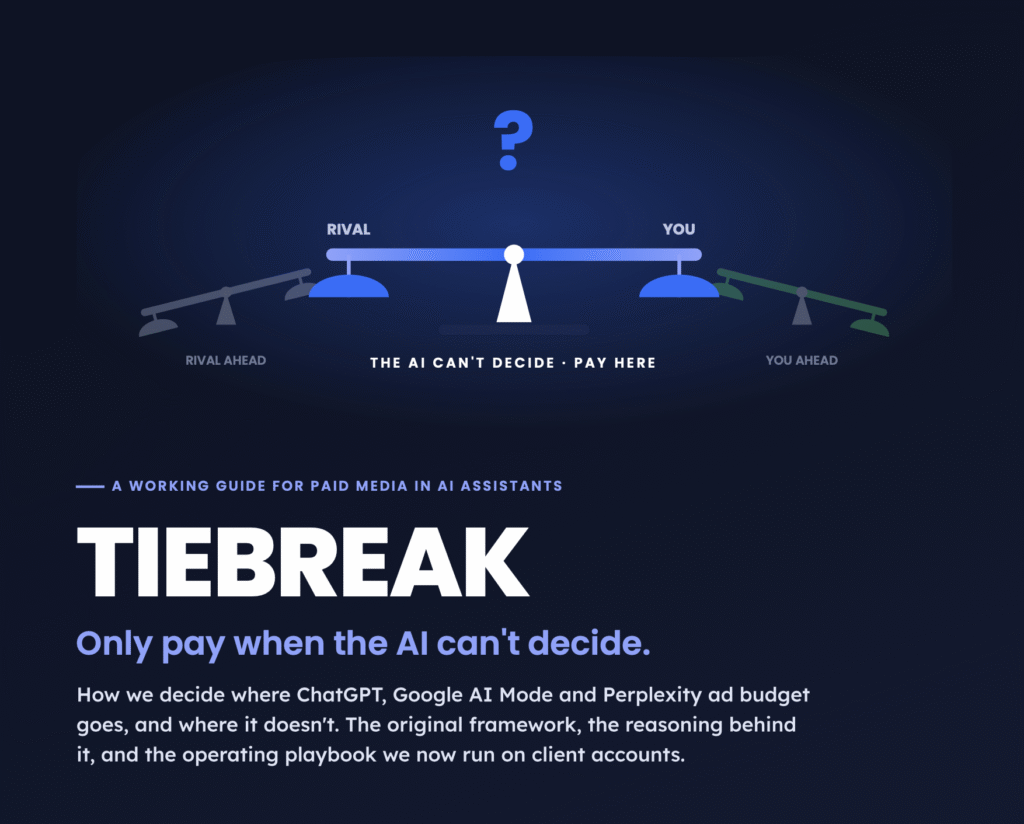
If Google Ads is struggling and you are weighing other channels, read our ChatGPT Ads UK 2026 guide and the TIEBREAK framework for AI assistant ads before moving budget: the minimums and mechanics are very different.
The 60-minute Performance Max rescue plan
- Confirm the goal (10 min). Open the campaign’s goal settings. Note which conversion actions are primary and check each one is “Active” with recent conversions. Remove anything that is not a real business outcome.
- Test the tag (10 min). Complete a test purchase or lead with Tag Assistant running, once with cookies accepted and once rejected. Confirm the conversion and consent signals fire as expected.
- Check signal volume (5 min). Count primary conversions in the last 30 days for this campaign. Under 30 means your first job is more signal, not more optimisation.
- Read the channel split (5 min). Insights → Channel performance. If more than half the spend is on Display and YouTube with no conversions, you are in the spiral.
- Check bidding (5 min). Is the campaign “Limited by budget” on a target strategy? Compare target to actual CPA in the Bid Target Adjustment Tool and set a target you can afford.
- Mine the search terms (10 min). Export the Search terms report. Add obvious waste as campaign-level negatives and decide your brand exclusion policy.
- Audit landing pages and locations (10 min). Review final URLs, add URL exclusions, and set location options to “Presence”.
- Freeze and schedule (5 min). Make your changes in one batch, note the date, and don’t touch targets for 14 days. Put a review in the calendar.
Batch your edits
Ten edits on one day is one learning reset. Ten edits across ten days is ten resets. The single most common reason we find PMax “never finishing learning” is an owner or agency changing something every few days.
The honest caveat
The Starvation Spiral and the LEAKS audit are our models of patterns we see repeatedly, not Google-published mechanics. Google does not disclose exactly how PMax weighs channels, and behaviour varies by account, category and season. The platform facts in this guide are sourced; the thresholds marked as operating defaults are starting points. Test them against your own data before moving serious budget.
Frequently asked questions
Why is my Performance Max campaign spending but not converting?
Usually because it does not have enough reliable conversion data. With thin or broken tracking, Smart Bidding cannot predict which auctions will convert, so budget pacing spends on the cheapest available inventory, often Display and YouTube. Check your primary conversion action, conversion volume, the Channel performance report and your targets, in that order.
How long does the Performance Max learning period last?
Typically one to three weeks after launch or a significant change. Google advises waiting at least two weeks without edits and judging Target CPA over at least 30 conversions. Changing targets, conversion goals or budget by a large amount restarts learning.
Why did my PMax cost per conversion go up after August 2026?
From 17 August 2026, Google changed how budget-limited campaigns on Target CPA or Target ROAS bid. They now deliver closer to the target you set rather than beating it. If your target was higher than your real CPA, costs drift up. Use the Bid Target Adjustment Tool to set a target that matches what you want to pay.
Can I add negative keywords to Performance Max?
Yes. Performance Max supports campaign-level negative keywords, up to 10,000 per campaign, plus account-level negatives and brand exclusions. Use the Search terms report to find irrelevant queries such as job, free, DIY and second-hand searches.
Why is Performance Max spending on Display and YouTube instead of Search?
When predicted conversion rates are low, high-intent Search and Shopping clicks look too expensive for your target, but the budget still needs spending. Cheaper Display and YouTube impressions absorb it. Better tracking, a realistic target, a budget of at least three times your CPA and placement exclusions usually pull spend back.
Should I exclude my brand from Performance Max?
Often yes, if you run a separate brand Search campaign. Expect reported PMax conversions to drop, because brand searches are the easiest conversions to claim. That drop shows you PMax’s true non-brand performance rather than a real loss of sales.
Does Consent Mode stop Performance Max conversions in the UK?
It can hide them. When UK visitors reject cookies, conversions cannot be tied to ad clicks directly. Google models them only once you reach 700 ad clicks over 7 days per country and domain. Smaller accounts should use advanced Consent Mode where legally appropriate, enhanced conversions and offline conversion imports.
What budget does Performance Max need in the UK?
There is no fixed minimum, but budget relative to CPA matters more than the total. As an operating default, set the daily budget to at least three times your target CPA, and preferably five times, so the campaign can generate enough conversions to learn.
Should I turn off my Performance Max campaign?
Not before verifying tracking and giving it a fair window. If after about six weeks it still produces fewer than 15 conversions a month with tracking confirmed, move the budget to Search or Standard Shopping, rebuild conversion signal, then reintroduce PMax.
Can Global PPC fix my Performance Max campaign?
Yes. We audit tracking, signal volume, channel drift, search terms and feeds for UK businesses, then manage Performance Max against revenue rather than platform-reported conversions. See our Google Ads management service or book a free strategy call.
Stop feeding a campaign that can’t see your sales
We fix the tracking, rebuild the signal and manage Performance Max, Search and Shopping to revenue, not clicks. Paid media is all we do.
Update log
28 Sep 2026: First published. Covers the 17 August 2026 target change, June 2026 Smart Bidding Exploration and the late-September language targeting change.


What do you think?
Creative testing on Meta has definitely shifted in 2025, and I think your point about scalability is spot on. What workedBlog comment creation last year—like endlessly tweaking headlines—feels less effective now compared to testing formats and hooks that resonate across multiple audiences. It’ll be interesting to see how AI-driven iteration changes the pace and structure of testing going forward.
Comments are closed.